
Our team works in ITAM within our ITSM function, collaborating closely with ITOM to improve CMDB accuracy and align with ITIL best practices. Did this sentence make any sense to you? Probably not.
The IT world has a penchant for acronyms and initials. And these acronyms, over time, become words themselves. Even longtime professionals can forget what these letters actually stand for.
The meaning of ITSM, ITOM, and ITAM is often confused by ServiceNow users. This trio is part of the core ServiceNow modules, and it is essential to familiarize yourself with these platforms before you adopt ServiceNow for your business.
Therefore, in this blog, we’ll break down these three ServiceNow products in detail. We’ll explore all the nooks and crannies of what each one does, how they differ, and when to use them.
ServiceNow ITSM
IT service management (ITSM) is the first chapter in the story of ServiceNow. The workflow automation company launched as an ITSM platform back in 2004. And ServiceNow ITSM is still the flagship product in the whole ServiceNow services ecosystem.
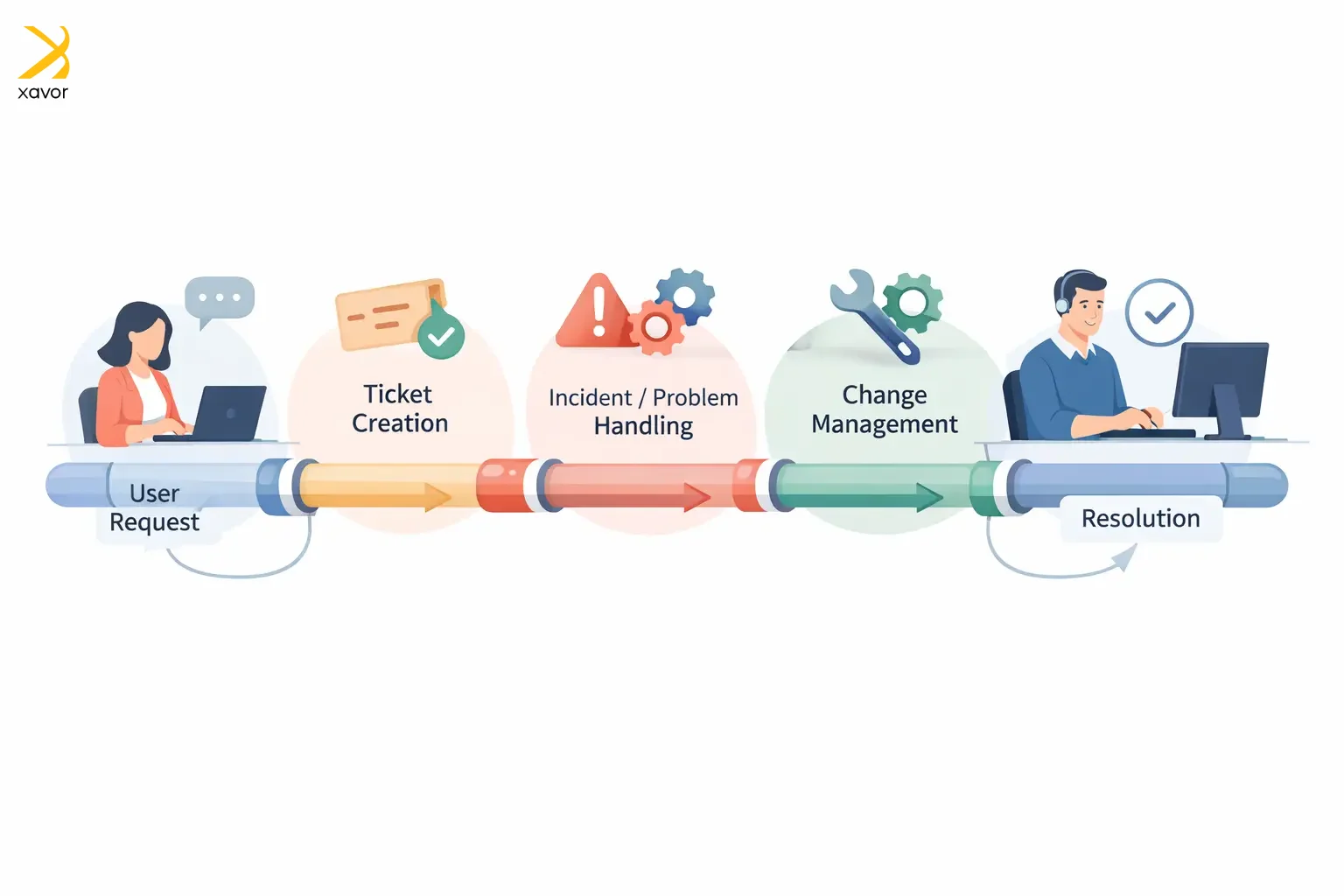
ITSM in ServiceNow is the set of capabilities that helps you deliver and manage IT services for users. It is basically a system that covers how IT plans, delivers, and supports services. So, when people need help, approval, access, or something fixed, there’s a consistent process.
ServiceNow ITSM ensures that customers get their issues resolved quickly, and employees find the right information at the right time.
Key components:
- Incident management logs, tracks, and resolves issues if something is broken.
- Problem management finds and removes root causes behind recurring incidents, so the same outage doesn’t keep coming back.
- Change management plans and controls changes to reduce risk and avoid outages caused by “oops” deployments.
- Request management handles access, software, equipment, and the likes using structured workflows.
ServiceNow ITOM
ServiceNow IT operations management (ITOM) is what keeps the lights on. Literally, because it is the ServiceNow product that focuses on keeping the technology environment running day to day, such as:

- Servers
- Networks
- Cloud services
- Applications
These are the things organizations rely on to run their operations and services. ITOM often gets described as a subset of ITSM because it makes sure the underlying infrastructure and apps are stable, performant, and available.
Key components:
- Discovery automatically finds devices, servers, apps, and software in your environment and populates/updates the CMDB.
- Service mapping builds maps of how technical components relate to business services for impact analysis and faster troubleshooting.
- Event management ingests alerts/events from monitoring tools, correlates and de-duplicates them, and helps route the right signal to the right teams.
ServiceNow ITAM
IT asset management (ITAM) in ServiceNow is how an organization keeps track of everything it owns, uses, or pays for in IT. That includes managing both hardware and software from the day they’re requested to the day they’re retired.
ServiceNow ITAM ensures that a company doesn’t lose control due to the inundation of devices and apps. It is like a crystal ball that tells what you have and whether you’re actually using it. And it really does magic for your budget and planning.
Key components:
- Hardware asset management (HAM) manages the end-to-end lifecycle of physical assets like laptops and servers, including their procurement, maintenance, and everything in between.
- Software asset management (SAM) handles software licenses and entitlements so you can control software spend and reduce compliance risks.
- SaaS license management is A SAM-adjacent capability focused on SaaS usage and cost visibility. It helps you spot underused subscriptions, optimize licenses, and improve SaaS governance.
- Cloud cost management covers hardware, software, and cloud assets from one platform, and ties in cloud usage visibility.
What’s the difference: ServiceNow ITSM, ITOM, and ITAM
ServiceNow ITSM, ITOM, and ITAM are three different lenses to view the same corporate IT environment. Together, they form the three pillars of efficient technology workflow management.
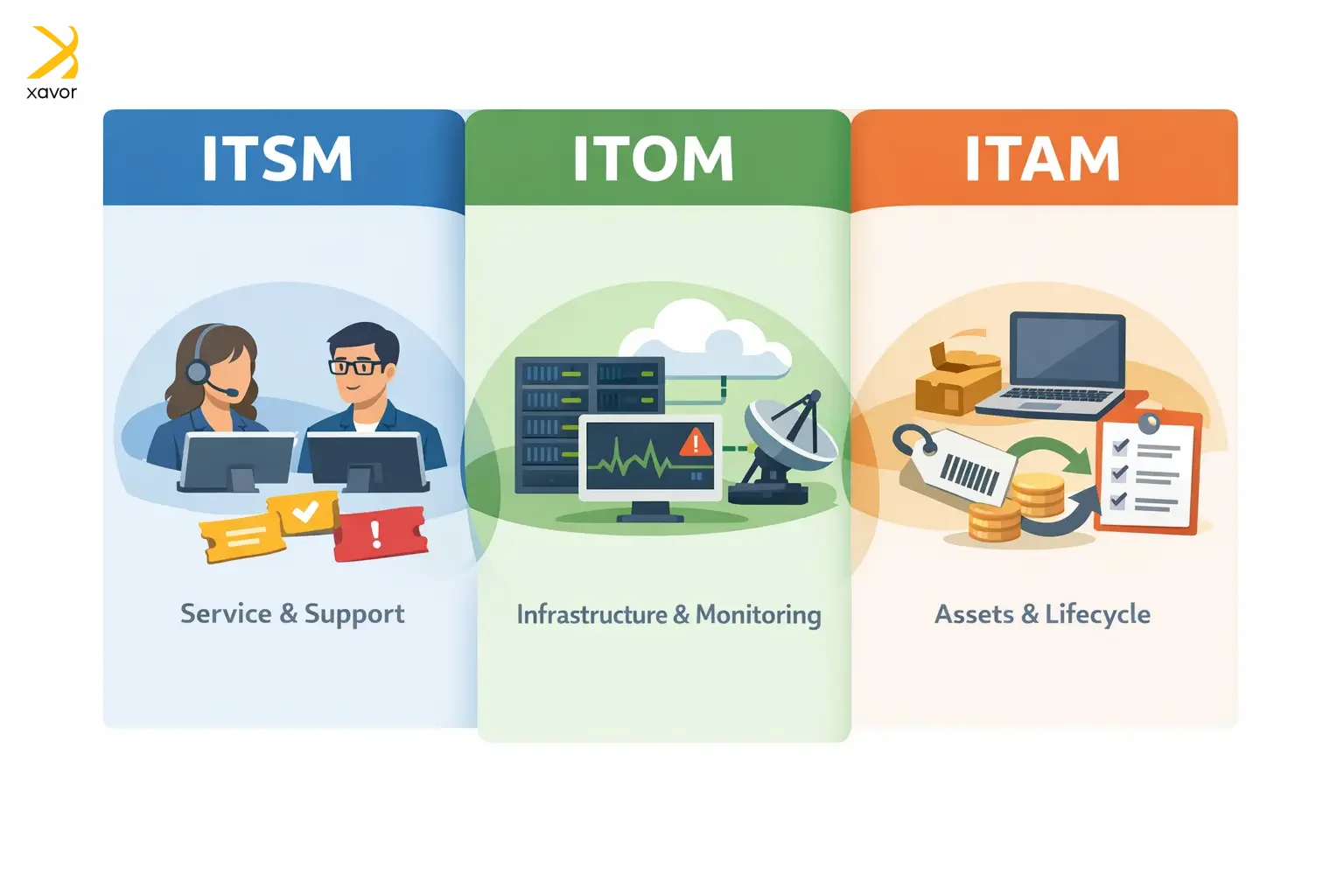
| ServiceNow ITSM | ServiceNow ITOM | ServiceNow ITAM | |
| What it is | The system that manages user-facing IT services and support work | Provides visibility into infrastructure health and turns signals into action | Manages hardware, software, costs, and compliance across the lifecycle |
| Focus | Service delivery, quality | Service availability, operations | Asset lifecycle, cost control |
| Core capabilities | Incident, Request, Problem, Change | Discovery, Service Mapping, Event Management | Hardware, Software, SaaS License Management |
| Primary value | Better user experience, consistent processes | Higher stability, reduced downtime | Reduced waste and overspend, audit readiness |
| Key Questions | How well are we delivering and supporting IT services? | Is our environment healthy, and what’s the impact when it isn’t? | What do we have, who’s using it, and what is it costing us? |
| Primary users | Service desk, IT service owners, support teams | NOC and ops teams, platform teams | IT asset managers, procurement, finance |
| Outputs | Tickets, approvals, SLAs, knowledge articles, service requests | Alerts, impacted services identified, service maps, operational dashboards | Inventory, optimization actions, lifecycle status |
When to use ServiceNow ITSM, ITOM, or ITAM
ServiceNow ITSM, ITOM, and ITAM are built for different pain points. This is the easiest way to think while choosing between them. The right choice depends on what’s hurting most in your IT org right now.
Use ServiceNow ITSM when
You have a people-and-process problem.
- Tickets are coming from everywhere, such as email, chat, and nothing is consistent.
- You don’t have a clean way to handle incidents, requests, and changes.
- Users keep asking for updates, and we don’t have a single source of truth for status.
- You need stronger SLAs, approvals, and governance around service delivery.
Use ServiceNow ITOM when
You have a visibility-and-reliability problem.
- Teams need to find out about outages from users before monitoring does.
- You get thousands of alerts, but only 5 matters, and you need to tell which ones.
- No one knows what depends on what, so troubleshooting takes forever.
- We need to improve uptime, performance, and speed of triage.
Use ServiceNow ITAM when
You have a control-and-cost problem.
- An organization doesn’t really know what they own, where it is, or who’s using it.
- You keep buying software ‘just in case,’ and audits are stressful.
- You’re paying for tools nobody uses, and device refresh is guesswork.
- Security keeps finding unmanaged devices and shadow IT.
ServiceNow ITSM, ITOM, and ITAM best go together
ServiceNow ITSM, ITOM, and ITAM do different jobs, so it usually doesn’t make sense to treat it as pick one. Therefore, a better approach for most businesses is to use the trio together, because they solve different parts of the same problem.
Traditionally, teams handle these separately with different tools and goals. Many companies still track IT assets in spreadsheets, so records go stale. Sometimes, locations are only verified yearly. In fast-changing environments, devices constantly move between users and sites, so manual audits miss changes, creating security risk and slowing support.
When ServiceNow ITSM, ITOM, and ITAM are unified, you get near real-time visibility into what assets exist, where they are, who’s using them, and their lifecycle history. That makes the service desk faster, improves self-service, and keeps hardware/software performing at its best.
How to combine the ServiceNow ITSM, ITOM, and ITAM
There are two smart ways you can combine ITSM, ITOM, and ITAM in ServiceNow.
1. ServiceNow CMDB
ServiceNow CMDB acts like a single source of truth for your IT environment. It keeps a centralized record of key configuration items (CIs). You know things like servers, apps, and devices, so IT teams can manage services and operations with more accurate, reliable data.
2. Use ITAM as the liaison
An ITAM tool helps you maintain an up-to-date inventory of assets and manage them through their lifecycle. Therefore, ServiceNow ITAM deploys, tracks usage, upgrades, and retires. In practice, it fills gaps by making sure asset data stays current and usable.
When CMDB and ITAM are in place, IT teams can run ITSM and ITOM together instead of in silos.
Conclusion
Most enterprises don’t struggle because they lack tools. They struggle because their tools don’t share the same reality. Support teams chase symptoms, operations teams fight alert storms, and asset teams wrestle spreadsheets and renewals. All while the business just wants services that work, costs that make sense, and risk that stays under control.
That’s the real key to building a connected system where service delivery, operational health, and asset intelligence reinforce each other. When those three lenses align, IT stops being reactive. You move from firefighting to foresight, where the next incident is optimized by design.
Xavor helps enterprises design, implement, and optimize ServiceNow ITSM, ITOM, and ITAM with a CMDB-first, outcomes-driven approach.
Contact us at [email protected] to accelerate your ServiceNow roadmap.

FAQs
The three main parts of ServiceNow are: IT Service Management (ITSM) for managing IT services and support tickets, IT Operations Management (ITOM) for monitoring infrastructure and automating operations, and IT Business Management (ITBM) for project portfolio management, resource planning, and aligning IT with business strategy
The four core workflows in ServiceNow are: IT workflows that include incident management, service requests, and change management. Employee workflows revolve around HR case management, onboarding, and workplace services. Customer workflows cover customer service management and field service. And creator workflows includes low-code app development and workflow automation across departments.
ServiceNow includes multiple portals depending on your configuration and modules, but the main portals are: Employee Service Center (ESC) for employee self-service, Customer Service Portal for external customers, Service Portal (the customizable framework for building portals), and Agent Workspace for service desk agents. Organizations can create unlimited custom portals using the Service Portal framework to meet specific departmental or user needs.