

Product lifecycle management (PLM) is difficult as it is. But as organizations grow, their PLM systems must support increasingly complex security requirements. Traditional role-based access control alone often falls short when multiple stakeholders need controlled and context-aware access to product data.
Fortunately, Aras Innovator is designed with flexibility, scalability, and security embedded in its kernel. It has helped us drastically reduce time and cost when we are deploying PLM solutions for our enterprise clients.
In this blog, we will share how we designed and implemented a security model that meets these benchmarks in ARAS Innovator for one of our customers. The solution not only met their immediate needs but also laid a strong foundation for secure collaboration and governance for their growing business.
The customer’s challenge: In plain English
We’ve been doing PLM for the past 15 or so years. And we’re all too familiar with the rigidity of traditional PLM systems to allow a security setup that could control access in more than one way at the same time.
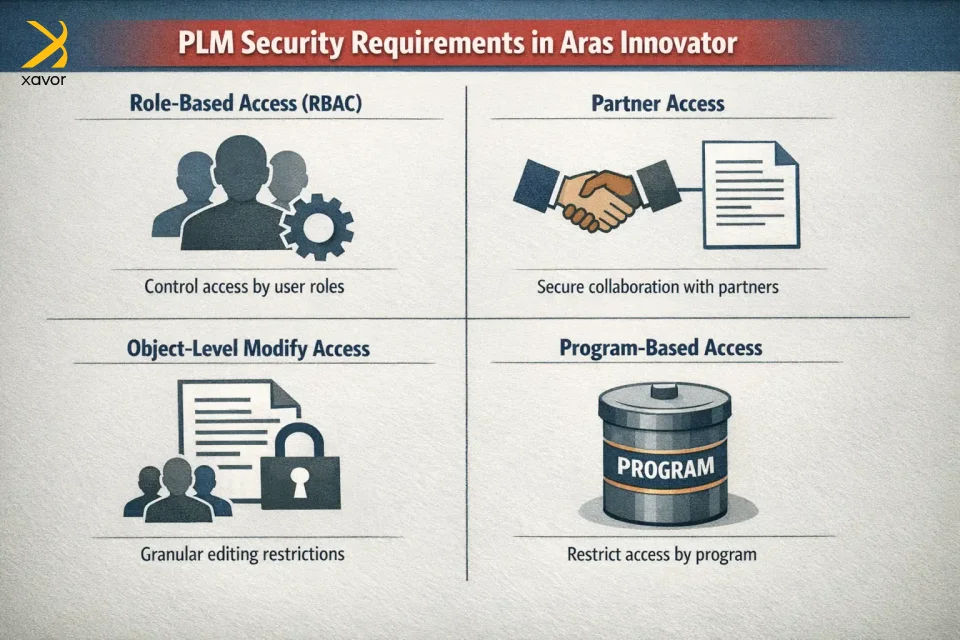
But that is exactly what this customer wanted. A security model that could apply multiple rules at the same time to decide who can access what.
Their key requirements were:
- Role-based access (RBAC)
Standard access based on user roles (e.g., Engineer, Quality, Manufacturing). - Partner access
External partners should only be able to access objects where they are explicitly added. - Object-level modify access (Field-Driven)
Modify access should not be group-wide by default. Instead, only users belonging to a specific group added to the object (Part, Document, or CAD) should be able to modify it. - Program-based access (Strict Isolation)
If an object belongs to a specific program, only users who are members of that program should have access. All other access must be revoked.
The challenge was to implement all of this cleanly, securely, and in a scalable way, without heavy custom code or fragile logic.
Why standard PLM security struggles with this
PLM platforms excel at basic, role-based security. You just need to explain it to them using simple logic that:
- “This team can access this part”
- “That role can access that document”
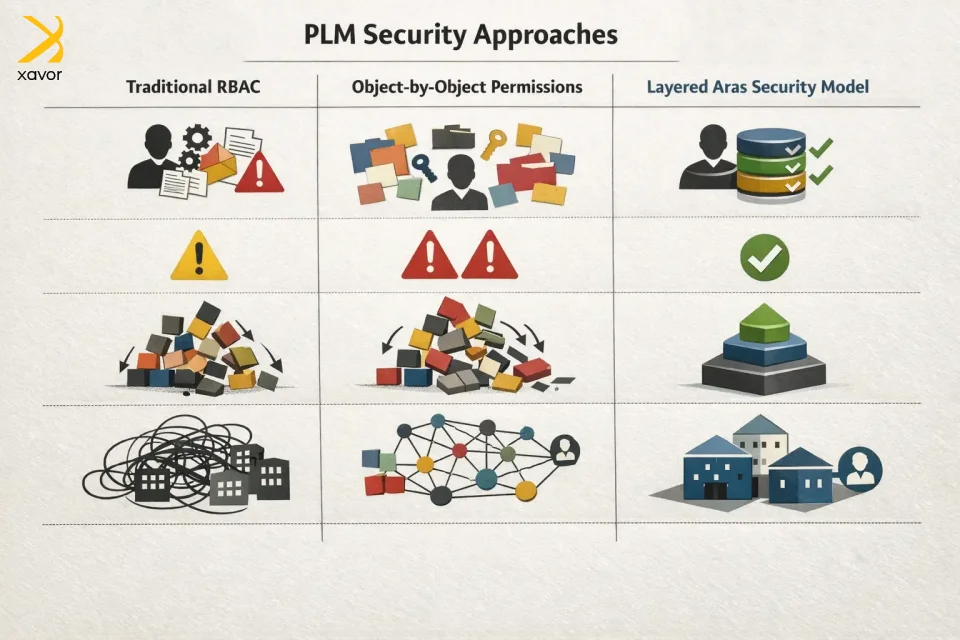
Plain and simple. But in this situation, it was more like, “This partner can access only 12 parts and 4 docs.” That’s object-by-object security, and if done with traditional permissions alone, it becomes hard to manage manually, and there is a high risk of mistakes.
So, it’s not that PLM systems can’t do it; rather, it becomes administratively expensive and fragile. This complexity tends to multiply when we are integrating PLM processes with enterprise systems across the digital landscape.
How our security model worked
Let’s see how we built our security model on top of the customer’s existing approach.

1. Role-based access (Baseline Security)
We started with a standard RBAC foundation using ARAS permissions.
This ensures:
- Users can see and interact with objects based on their functional role.
- Core business processes continue to work without additional conditions.
This RBAC layer acts as the default behavior when no special conditions (Partner or Program) apply.
2. Partner access using partner identities + MAC policies
For external collaborators, we introduced a dedicated Partner Identity type.
How it works
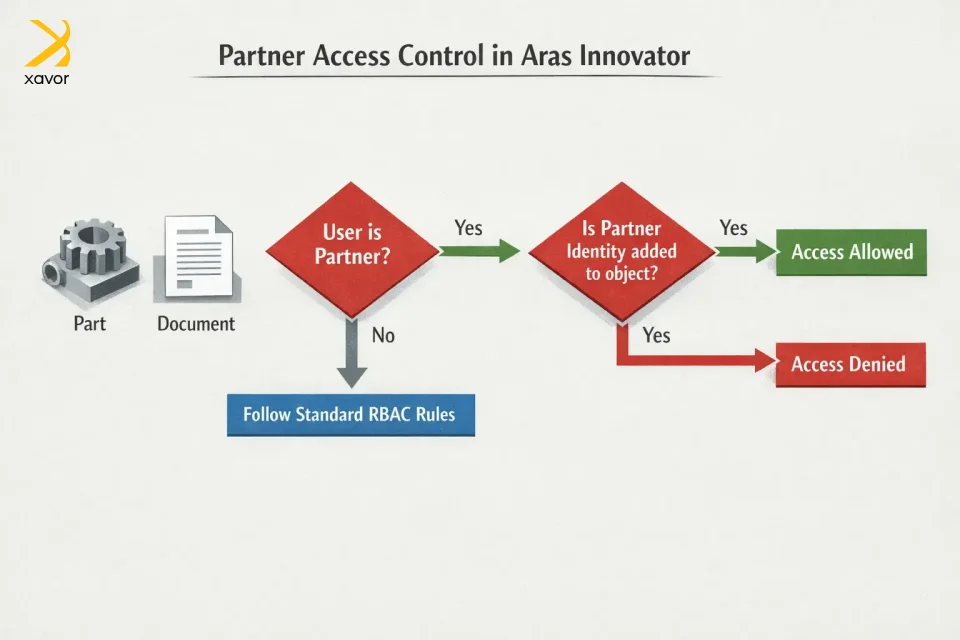
- Partner users are created as Partner identities, not regular internal users.
- Partners are not given broad access through roles.
- Instead, access is granted only when a partner identity is explicitly added to the object (Part, Document, or CAD).
Enforcement
- MAC policies check whether the partner identity is associated with the object.
- If the partner is not added, access is automatically denied.
The results
- No accidental data exposure
Since partners don’t get broad access to the system, they can only see parts, documents, or CAD files when they are explicitly added. So, there’s no risk of partners stumbling into data they shouldn’t see.
- Smooth collaboration without permission chaos
Internal teams don’t need to create lots of duplicate groups or special permission setups for every partner. Instead, access is controlled directly at the object level by simply adding the partner’s identity where needed.
3. Object-level modify access controlled by group field
One of the most critical requirements was not group-based access, but modify access driven by a group field on the object.
Key clarification
This is not generic group access.
It is modify access controlled by a group explicitly added to the Part / Document / CAD.
Implementation details
- A dedicated field on the object stores the Modify Access Group.
- Users must be members of that specific group to modify the object.
- Viewing access may still follow RBAC or other rules, but modification is strictly controlled.
Enforcement
- MAC policies evaluate:
- Whether the user belongs to the group specified on the object.
- If not, modify actions are blocked even if the user has a higher role.
The result
- More precise control over editing
Each Part, document, or CAD file can have its own specific editing group, instead of giving the same edit rights to everyone in a role. - Works better when multiple teams are involved
Different teams can take ownership of different items and edit only what they’re responsible for even if they belong to different departments. - Avoids giving too much access
Users don’t automatically get editing rights just because of their role. They can only edit an item when that item explicitly allows it.
4. Program-based access using program identities (Strict Isolation)
For program governance, we implemented Program Identities.
How it works
- Programs are modeled as identity groups of type “Program.”
- Users can belong to:
- Their base functional roles
- One or more program groups
- When an object is assigned to a program:
- The corresponding Program Identity is added to the object.
Critical rule
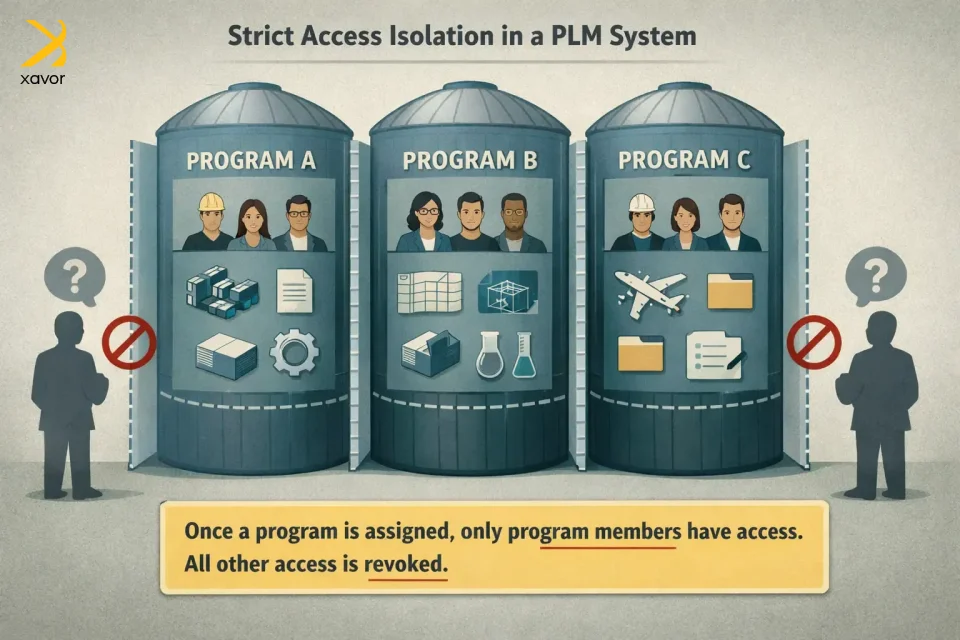
Once a Program is assigned:
- Only program members can access the object
- All other access, including standard RBAC is revoked
Enforcement
- MAC policies validate program membership.
- If the user is not part of the program identity, access is denied regardless of role
The results
- Strong separation between programs
Each program becomes its own secure space. People in one program can’t see or access data from another program unless they’re explicitly part of it.
- Clear, easier program control
Instead of managing messy role exceptions or custom permissions, access is governed cleanly through program membership. That makes it much easier to manage multiple programs over time.
- Prevents accidental cross-team access
Even if someone has a role that would normally give them access, they still won’t see program data unless they’re in that program. This reduces mistakes and protects sensitive work.
Why this security model is the best
Among all the options we had, this security model worked best because it solved two problems at the same time:
- It keeps data governed and protected in a complex environment.
- It stays easy to manage as the company grows.
Furthermore, it has a dual benefit for both business and technical needs. Long term, this kind of balance is what allows PLM environments to scale without constant rework or access exceptions.
For business leaders and executives
- Sensitive product data stays protected because access is always intentional and controlled, especially for partners and program-based work.
- Whether the customer adds new partners, new programs, or new teams, the model can expand without needing a complete redesign.
- Because access rules are strict and layered, there’s much less chance of someone seeing or editing something they shouldn’t.
- Partners can be added and removed cleanly without giving them broad system access or creating complicated permission setups.
For the technical teams behind the scenes
- The solution depends on ARAS settings, identities, and policies instead of custom scripts. That makes it easier to maintain and less likely to break over time.
- RBAC and MAC are built into ARAS, so we’re not forcing the system to behave in unnatural ways.
- Each access rule has a clear purpose like RBAC handles normal internal access and modify group field controls editing
- If the customer introduces new access needs, the model can adapt without rewriting everything.
Conclusion
Security in PLM is really an operating system itself. It determines how confidently teams can share data, how quickly partners can be brought into the workflow, and how reliably programs can run in parallel without constant fear of leakage or overexposure.
Aras Innovator is one of the best platforms to manage PLM workflows when product development is more distributed than before. Xavor spent 15+ years working across multiple PLM platforms, including Aras, Oracle Agile, and Propel. We’ve seen that the most successful PLM implementations are the ones with the clearest architecture.
Aras Innovator gives teams the flexibility to build that architecture the right way, but it takes experience to design a model that scales cleanly, stays maintainable, and holds up when real-world complexity hits.
If you’re expanding your PLM footprint, partner with our PLM experts to design a security model that scales as fast as your business. Drop us a line at [email protected] to book a free consultation session.

FAQs
RBAC (role-based access control) and DAC (discretionary access control) can grant access, but MAC (mandatory access control) is the final gate. MAC doesn’t grant permission, but it can only allow or revoke access based on conditions at runtime.
No, MAC Policies cannot grant access. The user must already have access via Permissions (RBAC) and/or DAC, and MAC can then restrict or allow it conditionally.
A common pattern is to give partners minimal baseline permissions, then use a MAC Policy condition that only allows access when the partner identity is explicitly linked to the item (Part/Document/CAD). That way, they don’t get broad access by role.